Most business owners replace POS hardware only after it fails completely. By then, the damage is done: a queue of frustrated customers, a scrambled lunch service, a repair invoice that exceeds the cost of replacement, and a staff member explaining to every third customer why the system is "just being a bit slow today."
The smarter move is to recognise the warning signs early. Here are the five indicators that your POS hardware is heading toward failure, and what to do about each one.
Tip: If your terminal freezes more than once a week, that is a pattern, not a fluke. Log the incidents for one month. The data will justify the upgrade decision.
Benchmark: From barcode scan to payment prompt should take under 1.5 seconds on current hardware. Time yours during peak trading.
Ask yourself: Have you had to reject a new device or workaround a peripheral in the last 12 months? That is a compatibility wall.
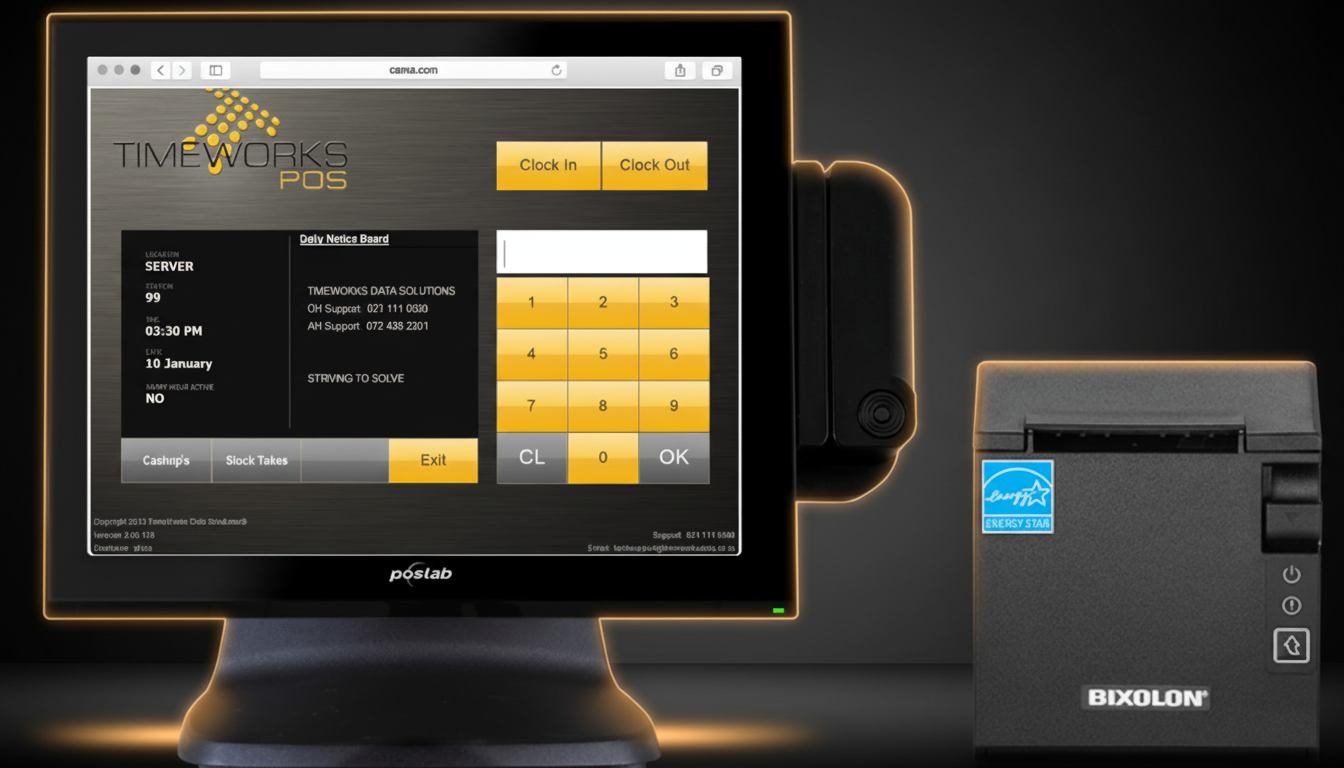
The Upgrade Destination
What a Modern Terminal
Actually Looks Like
This is a real TimeWorks terminal: Poslab widescreen display running our POS software, paired with a Bixolon thermal printer. Commercial-grade, fanless, IP54-rated. The kind of hardware that runs for years without service calls.
24/7
Duty Cycle
10M+
Touch Cycles
IP54
Dust & Water
R99
Daily Rental
SA Stat: Load shedding causes an estimated R900 million in business losses per stage-day. Protected hardware is not optional: it is risk management.
Cost check: If a single repair costs more than 30% of a replacement terminal's price, the economics of repair no longer make sense.
"The most expensive POS hardware is the hardware that fails on a Saturday afternoon in December."
What to Do Next
If you recognised your current setup in two or more of the signs above, you have three realistic paths forward. The right choice depends on your budget, timeline, and how urgently the hardware needs to be replaced.
upgrade
Full Upgrade
New terminals, peripherals, and a current-generation SQL-backed POS deployment. Best for growing operations.
View Hardware Catalogue
recycling
Refurbished Units
Professionally reconditioned terminals at a fraction of new hardware cost. Ideal bridge for budget-conscious decisions.
Browse Refurbished Stock
receipt_long
Hardware Rental
Preserve capital with a monthly rental arrangement. Includes maintenance and hardware refresh cycles.
Explore Rental Plans
Not sure which path is right for you? The most practical starting point is a hardware assessment. A TimeWorks technician will review your current setup, benchmark performance, check peripheral compatibility, and give you a clear recommendation, with no obligation to purchase.
Free Hardware Assessment
Let our technicians evaluate your current POS hardware and give you an honest recommendation. No sales pitch: just a clear technical view of where you stand.