Your Point of Sale system is the nervous system of your business. Every sale, every inventory movement, every customer interaction passes through it. A wrong choice costs you far more than the price difference between two systems. It costs you in lost uptime, retraining staff, failed compliance audits, and eventually, a replacement project you didn't budget for. In 2026, South African businesses face a more complex buying decision than ever before: new POPIA obligations, persistent load shedding, a tight economic climate, and a wave of cloud-only platforms promising more than they can deliver in our infrastructure environment.
This guide cuts through the noise. Whether you run a restaurant in Woodstock, a pharmacy in Bellville, or a boutique retail chain across the Western Cape, the framework below will help you make a confident, well-informed decision.
Understand Your Industry Needs First
Before you compare vendors or pricing models, define what your operation actually demands from a POS. The mistake most buyers make is evaluating a system on generic features rather than on the specific workflows that drive their revenue.
Hospitality businesses (restaurants, hotels, bars, and takeaways) need table management with real-time floor plan views, split-billing, kitchen display routing, and fast cover-turn workflows. A system that can't show your waitstaff which tables are occupied, timed, and due for a check doesn't just slow service: it bleeds revenue at peak hours. Course-by-course firing to kitchen displays, modifier handling for dietary requirements, and bar tab management are non-negotiable for a sit-down operation.
Retail businesses need high-speed barcode scanning, multi-location stock management, purchase order processing, and seamless supplier integrations. If you run a clothing store, you need size-and-colour matrix stock control. If you run a pharmacy, you need schedule-item tracking, NAPPI codes, and medical aid billing links. A generic hospitality system repurposed for retail is a liability waiting to happen.
Service businesses (salons, spas, workshops, and repair centres) need appointment booking, technician assignment, job card tracking, and deposit management. Staff commission structures, recurring client profiles, and service duration scheduling are what separates a tool that helps them from one that creates more admin.
"The single biggest cause of POS regret is buying a system designed for a different industry and trying to bend it into shape."
TimeWorks: 25 Years of POS Implementation Experience
Cloud vs On-Premise vs Hybrid
The cloud vs on-premise debate has a clear winner in markets with reliable, high-speed internet. South Africa is not one of those markets. Not yet, not uniformly. This is one of the most important decisions you will make, and it deserves an honest assessment of your connectivity reality.
| Deployment | Offline Capable | Load Shedding Risk | Data Ownership | Speed |
|---|---|---|---|---|
| Cloud-Only | No | High | Third-party servers | Latency dependent |
| On-Premise SQL | Full | Low (UPS + local) | You own it | Sub-100ms local |
| Hybrid | Yes (fallback) | Medium | Local + sync | Local speed, cloud reports |
A Microsoft SQL-backed on-premise system stores all data locally. During load shedding, paired with a UPS or generator, it keeps running without interruption. Transactions don't buffer or queue: they commit instantly because the database lives on your hardware. Data integrity is enforced at the relational level, not through application-layer workarounds. Reporting queries run in milliseconds because the data never leaves the building.
Cloud-only systems have one critical failure mode in South Africa: when your fibre line drops or load shedding kills your router, your POS goes dark. Some vendors claim "offline mode," but read the fine print: many only queue a limited transaction buffer and require a sync window to reconcile. During a four-hour Stage 6 blackout, that is not a contingency plan; it is a liability.
From a POPIA compliance perspective, on-premise also gives you clearer data residency: your customer records, transaction histories, and personal information stay in South Africa, on hardware you control, subject to your own retention and access policies. Cloud providers hosted offshore introduce cross-border data transfer obligations that many South African SMEs are not yet equipped to manage.
Hardware Considerations
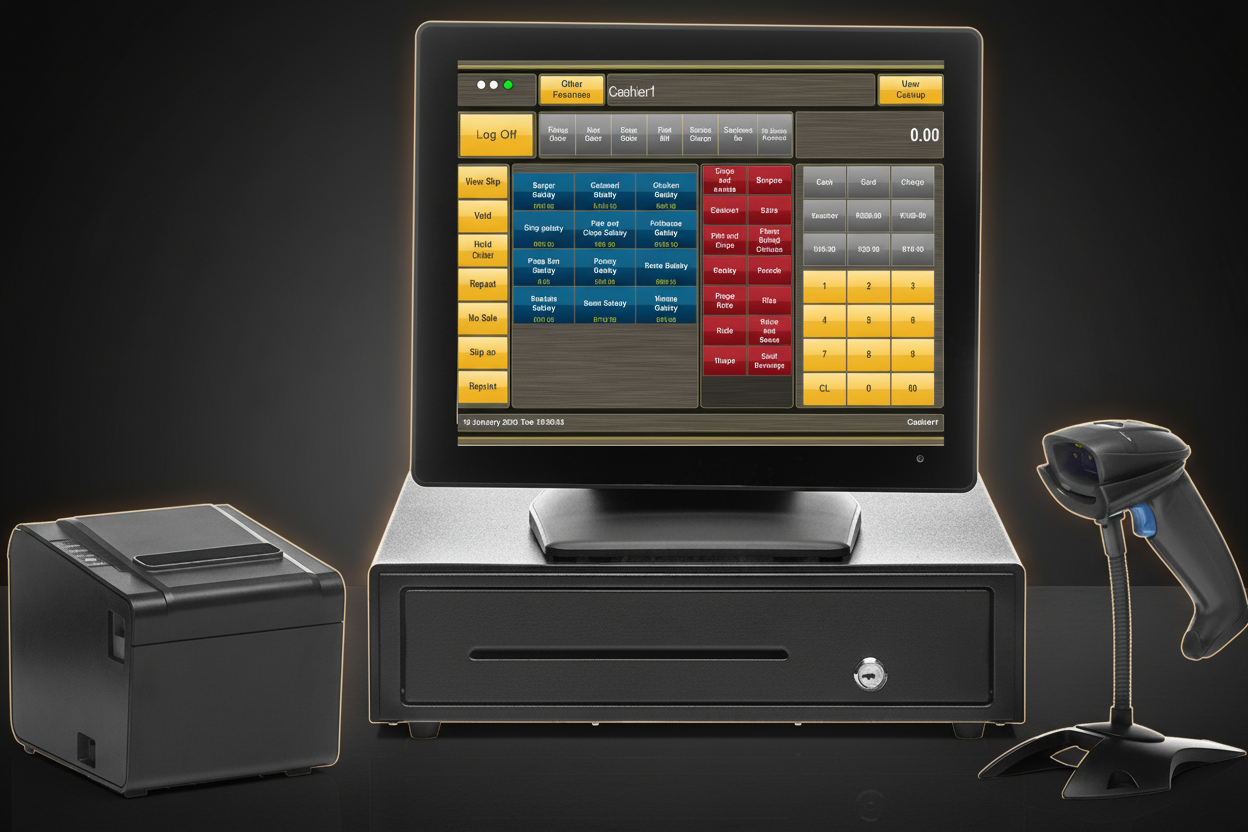
Software runs on hardware, and hardware fails. The quality of your terminal, printer, and peripherals directly determines your uptime and your staff's ability to work without friction. Do not let hardware be an afterthought.
Terminals and Touchscreens. Commercial-grade POS terminals built for retail and hospitality environments handle spills, heat, and continuous 18-hour operation. Toshiba's SurePOS and FoodService lines are designed specifically for these conditions: sealed ports, industrial-grade touchscreens, and fanless cooling that won't clog with kitchen grease. Consumer-grade tablets mounted on stands are a false economy: they fail faster, warranty terms are consumer-level, and replacement logistics are painful.
Receipt Printers. Epson TM-series thermal printers are the industry standard for good reason: fast, reliable, and supported by virtually every POS platform. For kitchen environments, look at Epson's impact dot-matrix models: they read clearly in heat and oil vapour where thermal paper fades. Bluetooth kitchen printers look sleek but introduce wireless reliability issues in commercial kitchens with dense RF environments.
Barcode Scanners. Zebra's DS-series handheld scanners offer the best combination of scan speed, omnidirectional read angles, and durability for retail. A good 2D imager reads QR codes, loyalty barcodes, and GS1 data matrix off damaged packaging that a linear laser scanner would miss entirely.
Cash Drawers. Under-counter cash drawers with dual note slots and coin trays should be physically robust. Hinges wear fast in a busy retail environment. Ensure the drawer connects to your receipt printer trigger port so it only opens on authorised transactions, not on demand, which is your first line of defence against casual theft.
Total Cost of Ownership
The purchase price of a POS system is the smallest number you should care about. What matters is the total cost over your ownership horizon, typically three to five years. Calculate these line items before you sign anything:
Licensing. Perpetual licences cost more upfront but nothing ongoing. Subscription licences feel affordable until you multiply monthly by 36. Some vendors bundle licensing into a support contract. Read whether that contract auto-renews and what the cancellation terms are.
Support contracts. Understand the SLA. Is support included or per-incident? Is after-hours cover available, and at what rate? A restaurant that goes dark at 7pm on a Saturday night needs a support partner who answers the phone, not one who responds by Monday morning.
Hardware maintenance and replacement. Budget for terminal servicing every two years and printer head replacement annually in high-volume environments.
Training and onboarding. Staff turnover is high in hospitality. Factor in the cost of retraining new staff. A system with a steep learning curve costs more in labour every time you onboard a new cashier.
For businesses that want to minimise upfront capital exposure, rental options change the equation entirely. TimeWorks offers fully-managed hardware rentals from R99 per day, which includes the terminal, software licence, and support, with no long-term capital commitment and no surprise repair bills. For seasonal operators, event venues, or businesses in their first two years, rental converts a large capex decision into a predictable opex line.
Integration Requirements
A POS system that operates in isolation is a bookkeeping tool. One that integrates into your ecosystem becomes an operational engine. Before committing to a platform, map every system you need it to talk to.
EFT and card payments. Confirm which payment integrators are supported out of the box. In South Africa, integration with major acquiring banks (Nedbank, Standard Bank, FNB, and ABSA) and payment facilitators like Peach Payments or Payflex should be standard. Verify whether contactless and QR-code payment methods (SnapScan, Ozow, ZapPay) are supported, as customer payment preferences have shifted significantly post-2020.
Loyalty and rewards programmes. Seamless loyalty point accrual at the point of sale (without a separate app or secondary device) converts casual customers into regulars. Ask whether the loyalty engine is built in or requires a third-party middleware layer, which adds cost and potential failure points.
Online ordering and delivery platforms. For food service, integration with Mr D Food, Uber Eats, and your own online ordering platform through a single menu management layer prevents the dual-screen chaos of managing two separate systems during service.
Kitchen Display Systems (KDS). A KDS that receives orders directly from the POS, with course-fire controls and bump-bar acknowledgement, reduces ticket printing costs and eliminates the misread handwriting problem that drives kitchen errors.
Accounting software. Direct integration with Sage Accounting, QuickBooks, or Xero eliminates the manual journal entry process. Every sale reconciled automatically means month-end closes faster and your accountant's hourly bill is smaller.
Support and Service Level
The moment your POS fails during service, your support SLA is the only thing standing between you and a disastrous day. This is non-negotiable: verify support terms before you sign, not after.
24/7 availability. Retail and hospitality do not operate on business hours. Your POS support partner needs to be reachable on Saturday night and public holidays. Ask specifically: who answers after hours: a local technician or an overseas call centre reading from a script?
Response time commitments. What is the guaranteed time-to-first-response? What is the time-to-resolution for a critical (system-down) incident? These numbers must be in writing. Verbal assurances from a sales consultant do not hold up at 8pm on a busy Friday.
Local vs overseas support. This matters more than most buyers realise. A support team operating in the same time zone, who can physically dispatch a technician to Cape Town or Johannesburg, solves problems faster than a helpdesk routing tickets through offshore teams. TimeWorks operates locally: same time zone, same context, and engineers who know South African infrastructure realities.
Remote access capability. Can your support partner securely remote into the system to diagnose and resolve issues without waiting for a site visit? On a SQL-backend system, most configuration and software issues can be resolved remotely in under 30 minutes. No courier required.
Your 5-Point POS Decision Checklist
Use this as a final filter before you commit. If any answer is "no" or "unsure," that is your red flag.
-
Industry-Specific Fit Does it handle your specific industry's workflows natively (table management, barcode scanning, or appointment booking) without requiring workarounds or custom development?
-
Load Shedding Resilience Can it operate fully offline during power outages with no transaction loss and no manual reconciliation required afterward?
-
Total 3-Year Cost Have you calculated the full cost over three years, including licensing, support, hardware maintenance, and training, not just the purchase or monthly subscription price?
-
Support Response Speed Is after-hours support guaranteed in writing with a specific response time SLA, not just "available on request"? Is support local and in your time zone?
-
Scalability Path If you open a second location, add online ordering, or grow your product catalogue by 10x, does the system scale with you, or do you hit a hard ceiling in the licence tier?
The Right Partner Makes the Difference
Choosing a POS system is a long-term infrastructure decision, not a software purchase. The platform you select will run thousands of transactions, hold your customer data, and determine how quickly your staff can serve during your busiest periods. Get it right and it's invisible: an engine running quietly in the background. Get it wrong and it's a recurring source of downtime, frustration, and expense.
TimeWorks has been implementing point of sale solutions across Cape Town and the Western Cape since 1999. Over 25 years, we have navigated every major technology shift in the industry: from DOS-based systems to Windows SQL architectures to the current cloud era, and we've earned our perspective on what works in South Africa's real operating conditions.
Our SQL-powered POS systems are built for the demands of South African retail and hospitality: offline-capable, load shedding resilient, POPIA-compliant, and backed by local support that answers when you need us. Whether you're choosing your first system or replacing one that hasn't kept pace with your growth, we'll give you an honest assessment, not a sales pitch.
Talk to a POS Expert
Tell us about your business and we'll recommend the right system, hardware, and pricing model, with no obligation. We cover hospitality, retail, and service businesses across Cape Town and the Western Cape.