South Africa has roughly 2.6 million SMEs, and they contribute about 34% of the country's GDP according to the Small Enterprise Development Agency (SEDA, 2024). But here's the hard truth: approximately 70% of small businesses fail within the first two years. Poor cash flow management, stock losses, and a lack of sales visibility are among the top reasons.
A point of sale system won't save a bad business idea. But it will give you accurate stock counts, real-time sales data, and payment processing that doesn't rely on a calculator and a cashbook. This guide covers what a small business in South Africa actually needs from a POS system, what it should cost, and how to avoid the five most common mistakes.
TL;DR: South African small businesses need a POS system that handles payments, tracks stock, works during load shedding, and costs between R5,000 and R15,000 upfront. Avoid cloud-only systems that go down when the internet drops. Budget R250 to R999/month for software. Start with the 7-point checklist at the bottom to find your fit.
Why Does Your Small Business Need a POS System?
Businesses using POS systems see inventory accuracy improve by up to 25% compared to manual tracking, according to the National Retail Federation (NRF, 2024). That matters because stock shrinkage costs South African retailers an estimated R8.3 billion per year, according to the Global Retail Theft Barometer (2023). A proper POS tracks every unit in and every unit sold.
But it goes beyond stock. A POS gives you instant answers to questions that used to take hours: What sold the most this week? Which staff member processed the most returns? How much cash should be in the drawer right now? Are you actually making money on that promotional item?
When we set up a first-time POS for a Kuilsriver hair salon last year, the owner discovered she had been undercharging for two of her most popular treatments for months. The POS flagged it in the first week's margin report. That single fix added roughly R4,200/month to her bottom line. You can't catch that with a receipt book.
What Features Does a Small Business POS Actually Need?
According to a Capterra (2024) survey of small business buyers, the top three features businesses look for in a POS are inventory management (78%), sales reporting (71%), and payment processing (68%). But in South Africa, there's a fourth that international guides never mention: offline mode. Why? Because load shedding can knock out cloud-only systems for hours at a time.
The Non-Negotiable Features
-
Stock Management Track every item in and out. Set low-stock alerts. Know exactly what's on your shelves without counting. This alone prevents the biggest cause of profit leakage in small retail.
-
Sales Reporting Daily, weekly, and monthly reports that show what sold, what didn't, and what your margins look like. Look for systems that let you pull reports on your phone.
-
Payment Processing Accept card, cash, SnapScan, and PayShap from one terminal. Card payments made up 43% of retail transactions in SA in 2024 according to the South African Reserve Bank. If you only take cash, you're turning away nearly half your potential sales.
-
Offline Mode Your POS must keep processing sales when the internet drops or the power goes out (with a UPS). Cloud-only systems freeze. A hybrid system stores transactions locally and syncs when the connection returns.
-
POPIA Compliance South African law requires you to protect customer data. Your POS should encrypt stored data and limit access by user role. See our POPIA compliance guide for the full checklist.
Nice-to-Have Features by Industry
| Feature | Restaurant | Retail Shop | Salon / Service |
|---|---|---|---|
| Table Management | Essential | Not needed | Not needed |
| Kitchen Display (KDS) | Essential | Not needed | Not needed |
| Split Billing | Essential | Useful | Useful |
| Barcode Scanning | Useful | Essential | Not needed |
| Appointment Booking | Not needed | Not needed | Essential |
| Online Ordering | Essential | Useful | Not needed |
| Multi-Location Sync | Useful | Essential (2+ stores) | Useful (2+ branches) |
Most POS comparison guides treat every business the same. But a hair salon doesn't need a kitchen display, and a takeaway doesn't need appointment booking. Don't pay for features you'll never use. Start with the five non-negotiables above, then add industry-specific features only if your operation demands them.
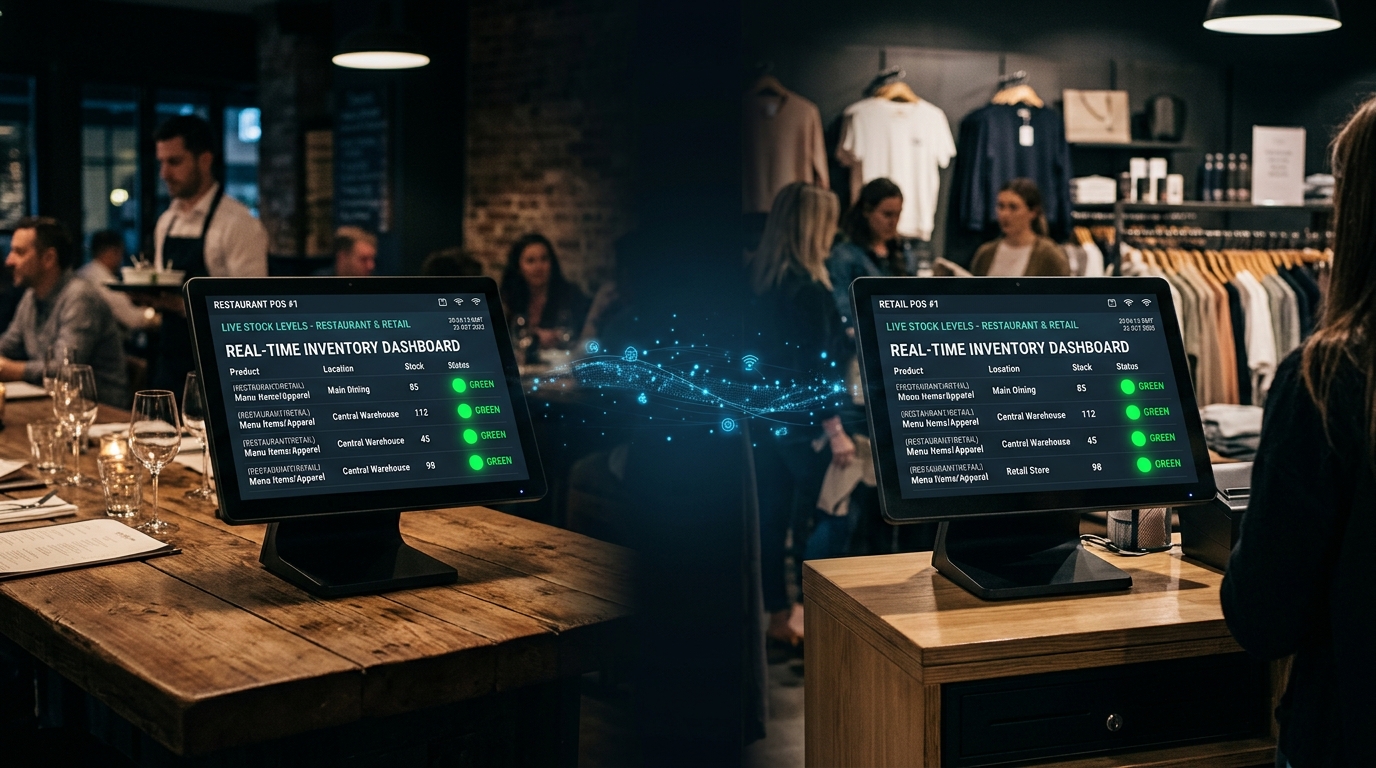
How Much Does a POS System Cost for a Small Business in South Africa?
A complete single-terminal POS setup for a small business in South Africa costs between R5,000 and R15,000 for hardware, plus R0 to R999 per month for software, according to our 2026 POS pricing survey of 16 South African providers. The wide range exists because "POS system" covers everything from a free app on a tablet to a dedicated touchscreen terminal with a printer, scanner, and cash drawer.
What You Get at Each Price Point
| Tier | Hardware | Software | Best For |
|---|---|---|---|
| Budget (R2K-R5K) | Tablet or phone + card reader | Free or freemium app (Yoco, Square) | Market stalls, pop-ups, sole traders |
| Mid-Range (R8K-R15K) | Touchscreen terminal + printer + scanner | R250 to R500/month (TimeWorks, Pilot) | Small retail, cafes, salons |
| Professional (R15K-R30K) | Full terminal + printer + scanner + cash drawer + KDS | R500 to R999/month (TimeWorks Pro, GAAP) | Restaurants, multi-staff retail, franchises |
We've deployed POS systems for over 700 businesses across South Africa since 1999. The most common small business setup we install is a mid-range package: a refurbished Toshiba terminal, thermal printer, and barcode scanner bundled with TimeWorks software. That comes in at roughly R9,500 once-off, plus R299/month for the software licence. It covers a single till with full stock management, reporting, and offline mode.
Can't afford the upfront hardware cost? You can rent a complete POS setup from R99/day, which is a practical option for new businesses testing the water or seasonal operations.
Cloud, Hybrid, or On-Premise: Which POS Architecture Suits Your Business?
According to Grand View Research (2025), cloud POS adoption grew by 22% globally in 2024. But in South Africa, where load shedding knocked out internet-dependent systems for up to 12 hours at a stretch in 2023, cloud-only can be a liability. The right architecture depends on your internet reliability, not just the latest trend.
| Type | How It Works | Pros | Cons |
|---|---|---|---|
| Cloud-Only | All data stored online. Requires internet. | Low cost, access anywhere, auto-updates | Dies without internet. Data at risk during outages. |
| On-Premise | All data stored locally on the terminal. | Works offline, full control, no subscription | No remote access, manual backups, higher upfront cost |
| Hybrid | Data stored locally AND synced to cloud. | Best of both. Offline mode + remote access. | Slightly higher cost than cloud-only |
TimeWorks uses a hybrid architecture built on Microsoft SQL. Every transaction is processed and stored locally on the terminal, so you keep trading even when the internet disappears. When the connection returns, everything syncs automatically. You get the reliability of on-premise with the convenience of cloud access for reports and remote monitoring. For more on how this works during outages, read our load shedding POS guide.
If your business is in an area with stable fibre internet and you never experience outages, cloud-only is fine. But if you're anywhere else in South Africa, which is most of the country, a hybrid system protects you against the inevitable dropped connection. Why risk losing a day's sales to save R200/month?
What Are the 5 Biggest Mistakes Small Businesses Make When Choosing a POS?
A Software Advice (2024) survey found that 67% of small business POS buyers regret their first purchase. The number one reason? They bought based on price alone without checking whether the system could actually handle their operations. Here are the five most common mistakes we see after 25+ years in the POS industry.
Mistake 1: Buying Cloud-Only Without Backup
It looks cheap. It looks modern. Then the internet drops and your business goes dark. In South Africa, where 92% of businesses experience electricity outages (OECD, 2025), a cloud-only POS without offline mode is a gamble. At minimum, pair it with a UPS and mobile data dongle. Better yet, choose a hybrid system.
Mistake 2: Ignoring Transaction Fees
Some POS providers advertise "free software" but charge 2.6% to 2.85% on every card swipe. On R50,000/month in card sales, that's R1,300 to R1,425 per month in fees alone. A system with a fixed monthly licence and lower transaction fees (or none on cash) often costs less over 12 months.
Mistake 3: Skipping Local Support
International POS providers operate in USD, have support teams in different time zones, and don't understand load shedding. When your system goes down at 11am on a Saturday, you need a support line that picks up in your language and knows your setup. This isn't a nice-to-have in SA. It's the difference between a 30-minute fix and a lost weekend.
Mistake 4: Over-Buying Features
A single-location bakery doesn't need multi-branch sync, loyalty programmes, and advanced CRM. Start with the five non-negotiables and add features only when your business demands them. You can always upgrade later; you can't get back the money you spent on features you never used.
Mistake 5: Not Testing Before Committing
Would you sign a 24-month lease without visiting the property? The same applies to POS. Ask for a demo. Better yet, rent the system for a week and run it in your actual business environment. Test it during a power outage. Test it at peak hour. That R99 rental fee could save you R15,000 in buyer's remorse.
Which POS Systems Are Available for Small Businesses in South Africa?
South Africa has both local and international POS providers. Local systems understand load shedding, ZAR pricing, and SARS compliance. International systems offer broader integrations but may lack local support. Here's how the main options compare for small businesses.
| System | Software Cost | Offline Mode | Local Support | Best For |
|---|---|---|---|---|
| TimeWorks | From R250/mo | Full (SQL-based) | Cape Town HQ, 25+ yrs | Restaurants, retail, events |
| Yoco | R0/mo (transaction fees) | Limited | SA-based | Solo traders, pop-ups |
| Pilot POS | From R400/mo | Yes | SA-based | Restaurants, hospitality |
| Lightspeed | From R1,200/mo | Partial | International (Canada) | Premium retail |
| GAAP | Custom quote | Yes | SA-based | Multi-branch, enterprise |
| iKentoo (Lightspeed) | From R800/mo | Partial | Partner network | Hospitality chains |
For a deeper dive into pricing across all 16 providers we surveyed, including hardware bundles, transaction fees, and hidden costs, see our full POS pricing breakdown for South Africa.
How Do You Choose the Right POS System? A 7-Point Checklist
After deploying POS systems in over 700 South African businesses since 1999, we've distilled the selection process into seven questions. Answer these honestly, and the right system will be obvious.
-
1. What Type of Business Are You? Restaurant, retail, salon, or mixed? This determines whether you need table management, barcode scanning, appointment booking, or none of these. Don't buy restaurant features for a retail shop.
-
2. How Many Tills Do You Need? One terminal is enough for most small businesses. If you have more than 3 staff processing sales simultaneously, you'll need multi-terminal support. Pricing often scales per terminal.
-
3. Is Your Internet Reliable? If you experience more than one internet outage per month, avoid cloud-only. Choose a hybrid or on-premise system that stores data locally. In South Africa, this isn't optional.
-
4. What's Your Budget (Upfront + Monthly)? Calculate your total first-year cost: hardware + installation + software + transaction fees. A "free" system with 2.85% card fees costs more than a R299/month licence on R50K monthly turnover.
-
5. Where Is Support Based? When your system goes down during lunch rush, you need help in minutes, not hours. Choose a provider with local, same-day support in your time zone.
-
6. Can It Grow With You? Will you open a second location? Add online ordering? Need multi-currency for tourism? Pick a POS that scales so you don't have to start over in 18 months.
-
7. Can You Test It First? Ask for a demo or trial period. Better yet, rent the full setup for a week in your actual business. Every feature looks good in a sales pitch. Only a live test reveals the truth.
For a more detailed walkthrough of the decision process, including scoring templates and vendor comparison worksheets, see our complete guide to choosing a POS system.
Should You Rent or Buy Your POS System?
According to the International Data Corporation (IDC, 2024), 38% of new POS deployments globally now use a rental or subscription model rather than outright purchase. In South Africa, where cash flow is the number one killer of small businesses, the trend is even stronger.
Buying makes financial sense if you plan to operate for two years or more. The total cost of ownership drops below rental after month 18 to 24 in most cases. But renting gives you something money can't easily buy: flexibility. No long-term commitment, hardware included, and you can return it if the business doesn't work out.
The chart tells the story clearly. Renting costs less for the first 8 months, but buying wins from month 9 onwards. If you're confident your business will run for two years or more, buying saves you roughly R19,000 over that period. If you're testing a new location or a seasonal operation, renting gives you an exit with zero sunk cost.
For a detailed side-by-side comparison including total cost of ownership at 12, 24, and 36 months, see our POS rental vs purchase guide.
Frequently Asked Questions
Next Steps: Find the Right POS for Your Business
Here's what matters. A POS system for a South African small business needs to track stock, process payments (cash and card), report on sales, work when the internet drops, and be backed by local support you can actually reach. Everything else is optional.
Start with the 7-point checklist above. If you tick most boxes with a R250 to R500/month system, that's your sweet spot. If you're unsure, rent first and test.
Key takeaways:
- Budget R5K to R15K for hardware and R250 to R500/month for software
- Offline mode is non-negotiable in South Africa
- Avoid cloud-only unless your internet never drops
- 67% of buyers regret their first POS purchase. Test before you commit.
- Local support matters more than brand name
Find the Right POS Setup for Your Small Business
Tell us about your business and we'll recommend a setup that fits your budget, industry, and location. Free consultation, no obligation, and you'll get a ZAR quote within 24 hours.